How I Gave My Weekly Newsletter a Brand Refresh with Flodesk Studio
I've been wanting to redesign my newsletter for a while now, but it kept getting pushed down to the bottom of my list. Redesigning something from scratch can feel like such a huge hurdle! As a graphic designer, I’m always reassessing my content to figure out how to make things more legible, memorable, and on brand.
When Flodesk launched Flodesk Studio, I knew it was the exact thing I needed to give my newsletter the design refresh it deserved. In this post, I’m going to show you exactly how I used Flodesk Studio to give my newsletter a complete makeover.
Introducing Flodesk Studio
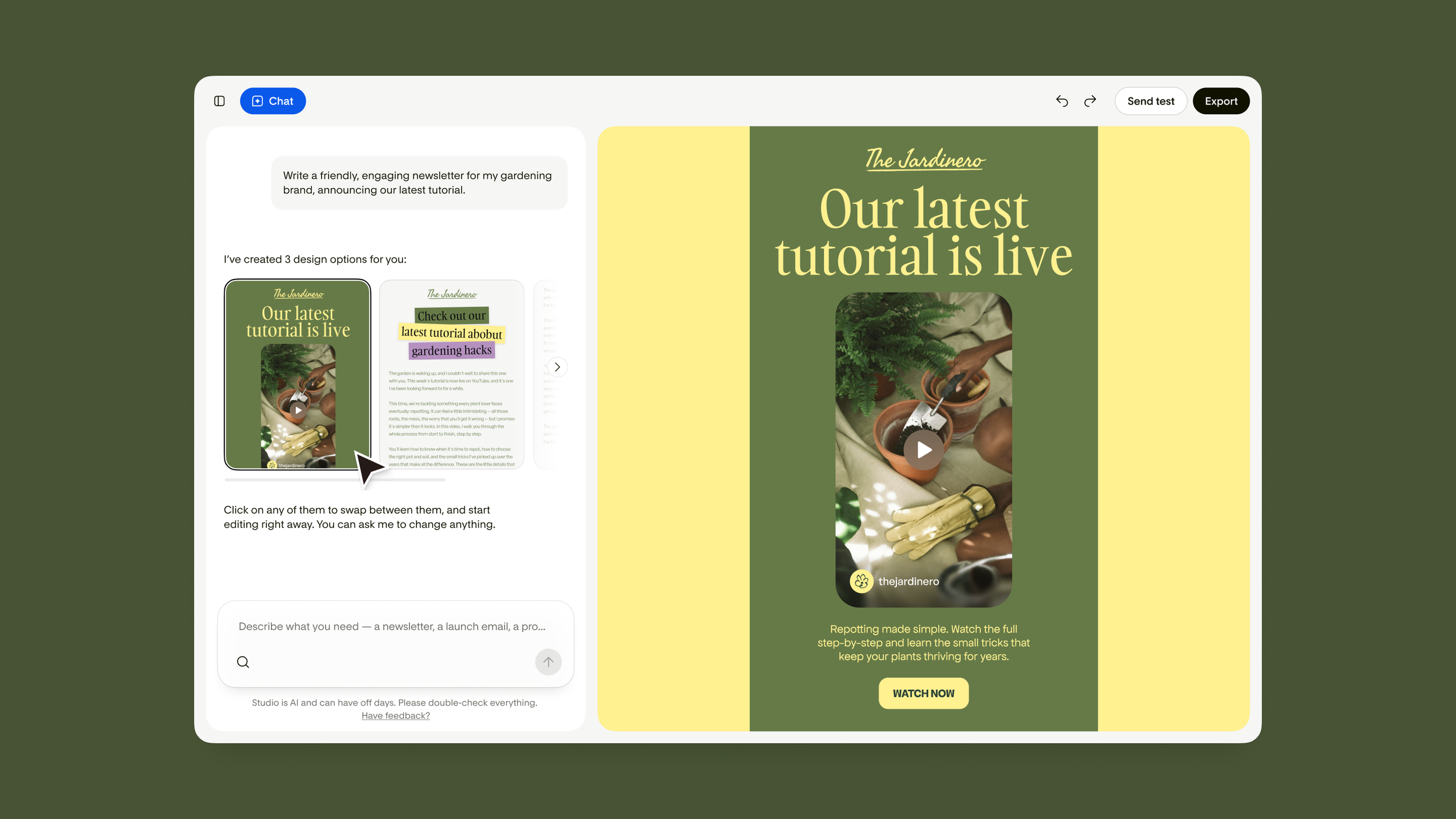
Flodesk Studio is a new email design app where you describe what you want and it brings it to life in a way that feels authentic to your brand. You start by uploading your brand colors, typography, and style and it uses that information to create customized email designs for you.
The email designs Flodesk Studio generates leverages individual component pieces created by the Flodesk design team, so you can think of the AI as assembling curated design components vs. generating an AI design from scratch.
The price: Free for a limited time while it's in beta.
How I designed my newsletter in Flodesk Studio
Step 1: Setting Up My Brand Kit
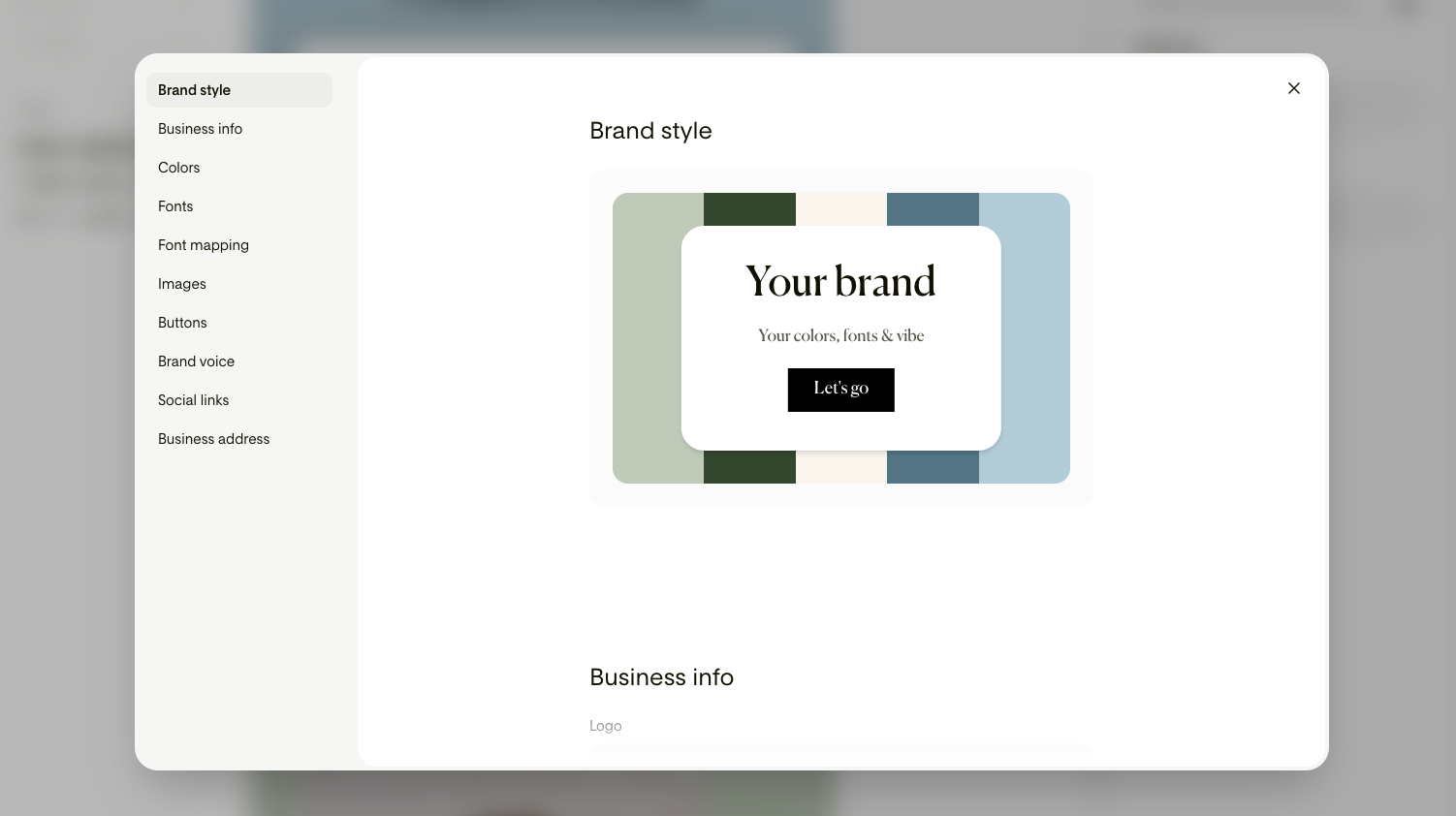
I started by importing my colors and fonts so Studio had something real to work from. If you don't have brand assets yet, they've also got pre-made brands you can start with. You can even tailor how your buttons should look, what your brand voice is, and add your social links.
When adding brand colors, I recommend making sure you have a palette that includes a neutral along with accent colors that can be used in various combinations. Since this tool drops your colors into layouts ready to go, it’s super helpful to make sure your color combos have strong contrast and can be used interchangeably.
Step 2: Choose or enter a design prompt
Once you open the editor, you’ll see some recommended prompts that you can start with or describe what you’re looking for. I started with one of the newsletter prompts and tailored the details to the columns I include in my weekly newsletter.
Within a minute, Studio created three on-brand email designs to choose from (visual, banner, and plain text). I can click between them to preview them and add further prompts to the chat box on the bottom of the screen.
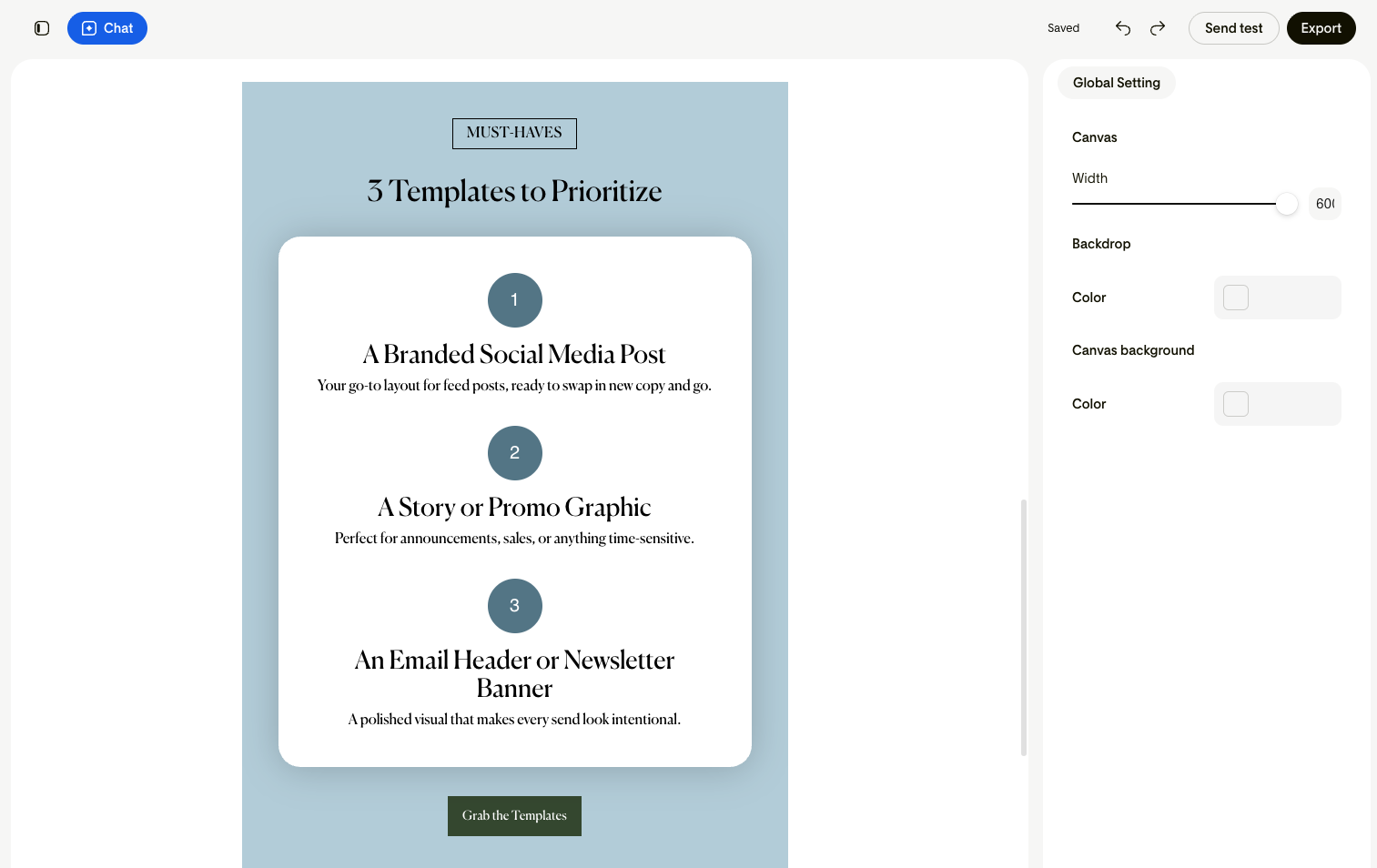
I was so impressed by the output on my first try! My email newsletter always follows the same design format, which is super efficient but can get boring after a while. I liked how Studio used the exact content I wanted to talk about to create a design that best fit that content. For example: for sharing 3 ideas it gave me a scannable list format with numbers.
Step 3: Tweak and polish my email design
Once I selected a layout, I was able to refine in the chat window, drag and drop elements, or fine-tune by hand. Every design option that Flodesk Studio generates is a live design that you can instantly edit yourself rather than just previewing.
I used the chat to make time consuming edits or request design variations, for example: decreasing the vertical height of the header. For smaller things like a color change or swapping an element, I found it was quickest to do that myself.
Another huge upgrade from the way I typically design my emails is that all of the layout blocks are automatically added in my brand colors when I drop them in. So not only are there more options to choose from than before, I save all the manual color tweaking that I needed to do before!
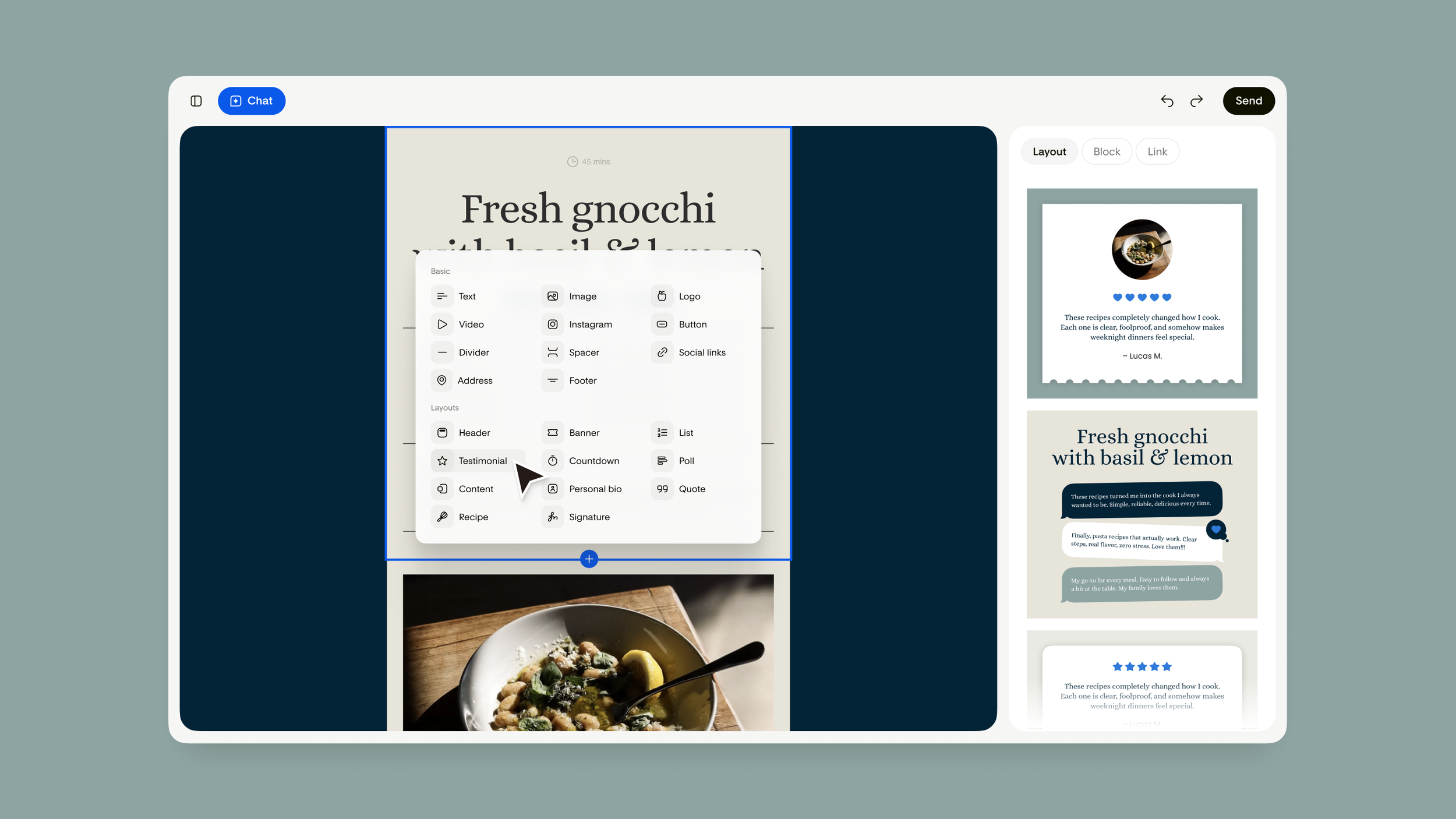
Just to give you an idea of the possibilities, here are the blocks they have (and a few that are coming soon):
Header
Banner
List
Testimonial
Countdown
Poll
Content
Invitation
Personal bio
Quote
Recipe
Signature
Social post — Coming soon
Custom font — Coming soon
Recipes?! Countdowns?! So cool. I love that there are interactive elements like polls and ways of elevating your content like quotes, invites, and signatures.
Step 3: Export to Flodesk
When I finished editing my email, I was able to export directly to Flodesk. When you create a design for the first time, you’ll have to connect Flodesk to Studio by logging into your Flodesk account. For those who use other email tools, you can export your design to any platform that supports HTML email.
After I exported my email, it took me over to Flodesk where I was able to follow the typical process of choosing my audience, scheduling, and sending. There’s an “edit” button that takes you back to Studio if you need to make any last minute tweaks, too.
My honest review of Flodesk Studio
One of the reasons I chose Flodesk to start my email newsletter is because their templates were always very design-centric and beautiful. Being able to generate on brand emails in Flodesk Studio that are customized to my brand has totally renenergized my excitement for creating my weekly newsletter and other emails! No offense to emails, they can be a bit boring and text heavy at times.
As a solopreneur, I always have so much to do which unfortunately leaves some of those “nice-to-have” design tasks, like redesigning my newsletter, at the bottom of my list. Knowing that I can prompt for different email needs without having to manually customize old templates is really going to help me level up my business: things like sales emails, invitations, and project updates are just a few of the things I’ll be using Flodesk Studio for next.
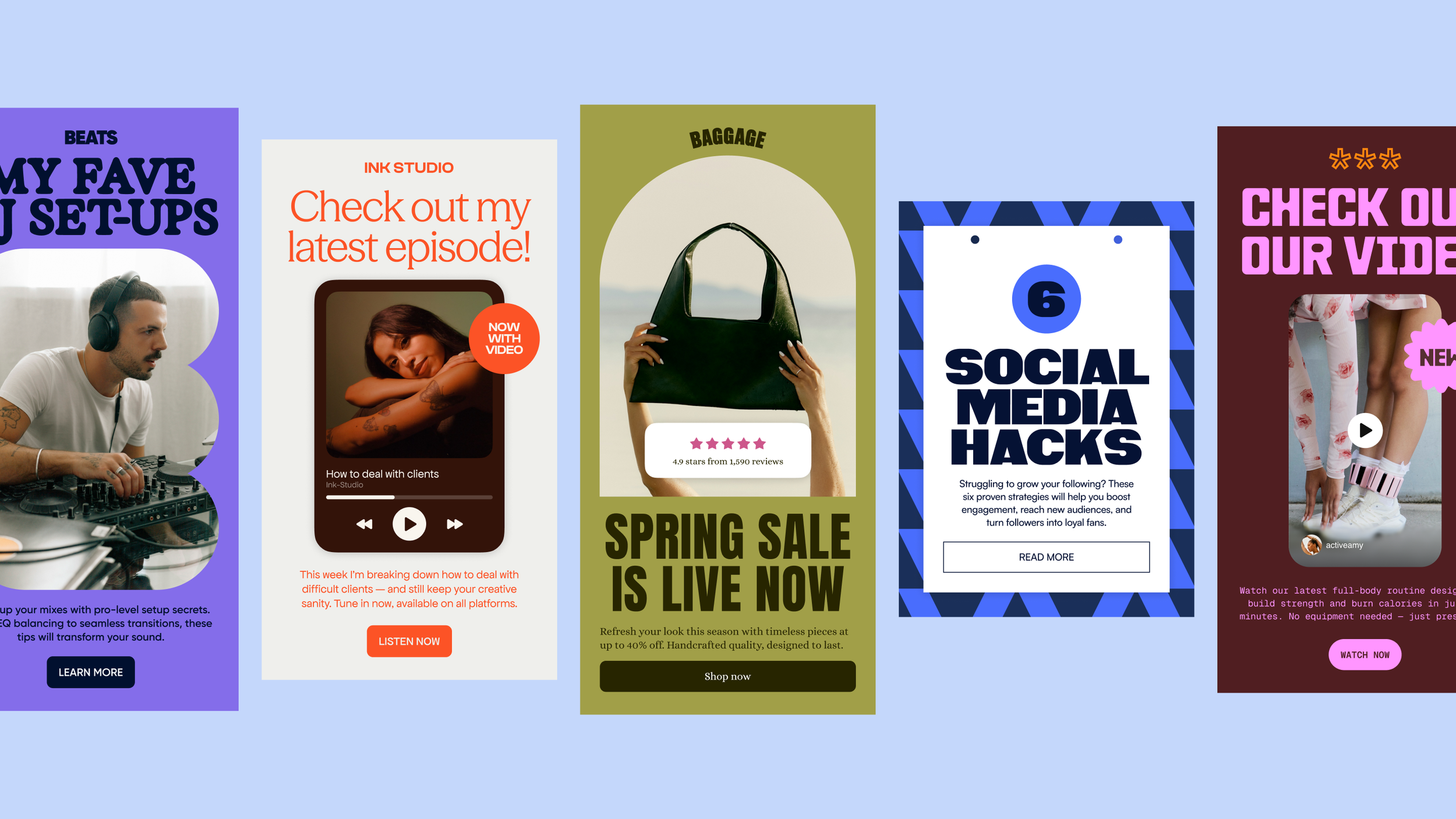
And lastly, quality of outputs. I was honestly impressed by the outputs Flodesk Studio came up with and found the new design components they’re using to feel super high-end and professional looking. I’ve experimented with quite a few AI tools and oftentimes the design capabilities are either lacking or take tons of prompts to get a design that doesn’t look crazy or like something that everyone else has. The difference is that the foundation of the design library was designed by real people rather than a robot.
How to try Flodesk Studio
Flodesk Studio is free right now while it's in beta. If you’re someone who has starting an email newsletter on your list, this is a great way to check that task off because remember:
You can send emails in Flodesk or export to another design tool.
If you’re just starting out and don’t have a brand yet, there are pre-made brands to choose from.
Flodesk Studio keeps track of your info so all your marketing will stay consistent each time you use it.
Flodesk is building this in public and will be shipping new features as the tool evolves, so it will be exciting to see the improvements and additional features coming soon! If you've been putting off a redesign for the same reason I was, give it a try today at studio.flodesk.com.
If you’re new to Flodesk and want to start sending emails generated by Flodesk Studio, get 25% off your first year here.
Content disclosure: I’m a Flodesk partner but all opinions expressed in this post are my own.